


Product
Meet the Vena Copilot AI Agents: Your New FP&A Taskforce
See how Vena’s AI agents—the Planning, Analytics, Reporting and Query Agents—can help revolutionize your FP&A processes by automating manual tasks and delivering real-time insights.

FP&A teams are facing a new level of expectation. Your business wants faster answers, clearer guidance and more confidence in every forecast. Planning cycles feel tighter each quarter. Data grows in volume and complexity. Stakeholders want insight the moment they ask for it.
FP&A teams are being asked to adopt AI alongside all of this. In fact, 70% of organizations say they have executive-level mandates to adopt AI in their finance function.
And while most planning tools promote some form of AI, their offerings vary widely in market readiness. Some AI tools have been tried and tested for years, while others are still in early beta. Add flashy marketing into the mix, and it becomes difficult to tell what these tools can deliver today versus what’s still a future promise.
This guide highlights the AI tools that matter most for FP&A. The list focuses on capabilities that support real use cases, such as improving forecast accuracy, preparing data more efficiently, guiding budget owners through inputs and helping FP&A analysts respond to change with greater clarity.
In each section, we’ll unpack each platform’s core AI offerings and what real users report about their experience.
When evaluating AI tools, FP&A teams need to have a very practical lens. Accuracy, repeatability and how things fit with your current workflows matter more than novelty or grand claims.
The criteria below reflect what finance teams should prioritize when assessing AI for planning, reporting and analysis.
As we learned in our 2026 FP&A Impact Report, 86% of finance professionals say they use AI agents for at least some of their FP&A workflows, up from 57% the previous year.
Ambitiously, over a third of respondents also said they expect that within the next two years, 50% or more of their current FP&A workflows will be fully operated by AI agents.
But whether or not this vision comes true depends on selecting the right technology partner.
Here are 9 top AI solutions designed to handle FP&A use cases.
|
Tool |
Who It’s For |
Use Cases |
Integrations |
|
Vena Copilot |
FP&A teams that want secure AI agents embedded directly in their planning workflows |
Preparing budgets faster, generating report narratives, answering planning questions, identifying anomalies, supporting self-serve insights for leaders |
All data sources connected to your Vena environment (ERP, CRM, HRIS, warehouse or lake), Excel, Microsoft Teams |
|
Datarails AI |
Small- to mid-size FP&A teams that want automated commentary and light AI explanation features |
Variance explanations, commentary generation, trend identification, answering budget and forecast questions |
ERP and source data through the Datarails platform |
|
Planful AI |
FP&A teams that want embedded predictive models to support planning cycles |
Forecast support, variance detection, budget planning |
ERP and source data via the Planful platform |
|
Prophix AI |
FP&A teams that use structured workflows and want predictive forecasting within a CPM environment |
Predictive forecasting, anomaly detection, budget workflow support |
ERP and operational systems via Prophix integrations |
|
Cube AI |
Finance teams that want simple AI features layered onto spreadsheet-based planning |
Summaries, insights, planning assistance for Excel-centric workflows |
ERP and source data through Cube connectors, Excel, Google Sheets |
|
Pigment AI Agents |
FP&A teams that prefer a modeling environment built on multidimensional structures |
Scenario exploration, planning assistance, query support for model navigation |
Connectors for CRM, ERP, HRIS, data warehouses, spreadsheets |
|
OneStream Sensible AI |
Enterprise FP&A teams with complex forecasting needs |
Time-series modeling, predictive forecasting, advanced scenario support |
ERP and operational systems integrated into OneStream |
|
Anaplan PlanIQ and Agents |
Enterprise planning teams working with detailed modeling structures |
Demand forecasting, predictive insights, planning support |
ERP, CRM, HRIS and data platform connectors through Anaplan |
|
Workday Adaptive Planning (Planning Agent and Intelligent Forecasting) |
FP&A teams already operating in the Workday environment |
Forecast improvement, anomaly detection, planning cycle efficiency |
Native Workday integrations plus supported connectors |
Let’s look at each of these tools in detail.
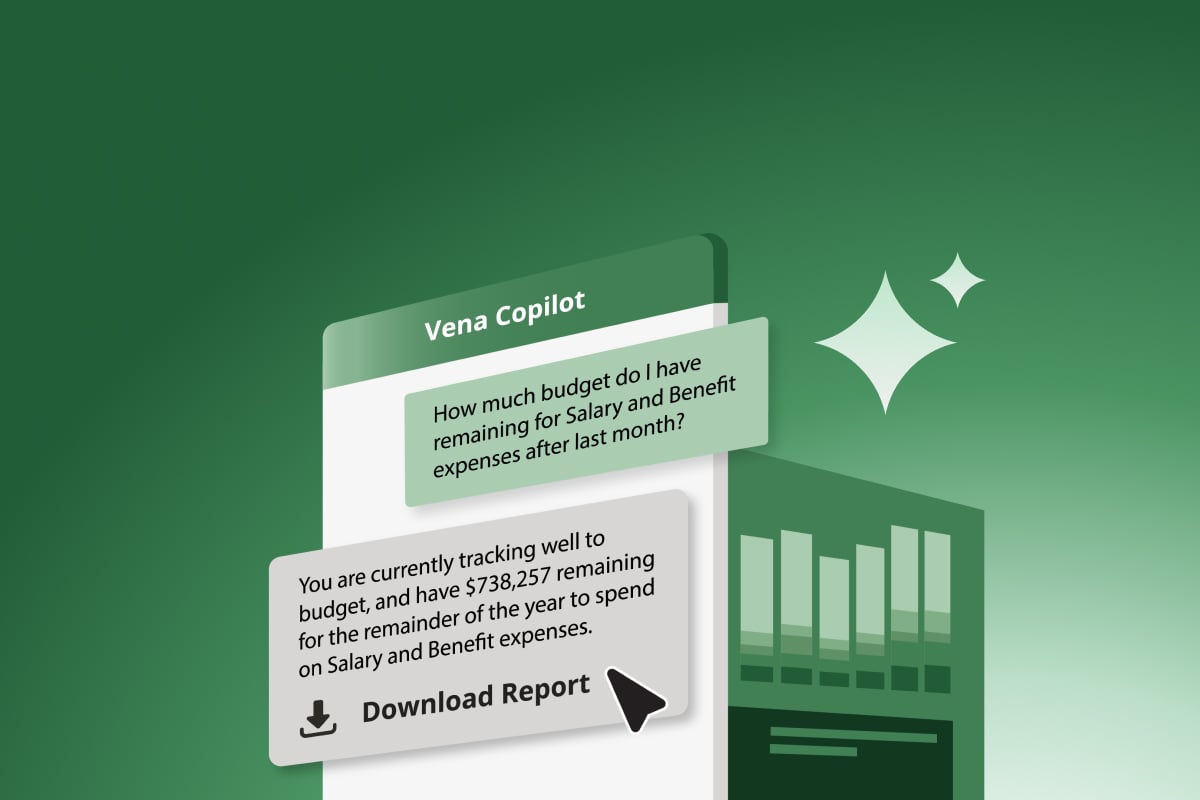
Vena Copilot uses agentic AI to query your existing organizational data in Vena, completing tasks in minutes that would previously have taken hours. Tasks like gathering data, generating reports, analyzing trends, optimizing forecasts, and answering complex business questions. What’s more, it’s easy to set up without the need for assistance from IT, data scientists or AI engineers.
Comprising Vena Copilot are four different agents:
Together, these agents support faster cycle times, better scenario visibility and clearer communication with business partners.
AI Functionality
FP&A Use Cases
Security and Ecosystem
“Vena Copilot is like having an additional financial analyst on my team. It's helpful if someone comes to me with a question—as many of us finance professionals receive throughout our day. I can almost copy and paste their question into Vena Copilot, and it provides an answer for me that I can then send right back to them without having to open multiple files. It really helps speed up my workflow.” – Andrew McFarlane, Finance Manager, Kuali Inc.
“The reporting capabilities are powerful, as I can create professional and dynamic dashboards and presentations that give a clear financial picture. Asking natural language questions to the built-in AI features of Vena is truly a game changer for us. It helps surface trends and answer ad-hoc queries without needing to build a whole new query from scratch every time.” – G2 Reviewer
"It's becoming even easier to use with some of the new AI models and planning functions that are coming out. These features are helpful as they allow me to analyze our company's overall performance at a very detailed level and make quick decisions. Also, the initial setup was great because the Vena team did most of the implementation for us." – G2 Reviewer
Datarails initially released its tool, FP&A Genius, built to automate commentary and generate explanations directly from consolidated spreadsheet data. The AI focuses on narrative output, which helps small FP&A teams quickly produce variance insights, trend summaries and budget explanations without spending hours drafting comments for leadership.
Because Genius operates on top of Datarails’ Excel-based modeling, its value is strongest when teams have consistent data imported into the platform. The tool reads the consolidated model and produces written output that would otherwise require manual review.
The platform has also recently released its own suite of AI agents, aimed at supporting forecasting, variance analysis and financial insights.
Reviewers describe Datarails’ AI features as helpful, but still in their early stages. The AI is not designed for deep forecasting or complex scenario work, but helps lighten the workload of drafting insights and speeds up first-pass analysis.
AI Functionality
FP&A Use Cases
“I would like to see more AI features being incorporated into the product more reliably. There has been some attempts via the Story Board feature but if AI can be reliably integrated into the system for projections and certain process heavy tasks like budgeting it would take the product to a whole new level.” – G2 Reviewer
“The AI features are still in their early stages and not yet as impactful as they could be.” – G2 Reviewer
“It may not have all the predictive or AI based tools that some competitors have, but it delivers very well on the bulk of functionality.” – G2 Reviewer
Planful’s AI capabilities center on Predict, a set of intelligent features designed to shorten forecast preparation and highlight deviations that require attention. Predict evaluates historical patterns, flags anomalies and assists finance teams in refining forecast versions without rebuilding logic from scratch. The focus is on giving FP&A leaders faster visibility into risks, deviations and emerging trends so they can adjust assumptions.
When the underlying data is clean and consistent, Planful’s AI layer helps accelerate forecast updates and reduce the workload associated with continuous planning. Users often describe the forecasting assistance, anomaly surfacing and automated insight prompts as the practical benefits they use most during the planning cycle.
As part of its broader Planful AI suite, Planful has also introduced AI assistants, namely the Analyst, Planner and Help assistants. These are designed to support everyday FP&A work directly within the platform by answering questions about model data, guiding users through forecasts and scenarios, helping teams interpret results and increasing proficiency with the platform itself.
AI Functionality
FP&A Use Cases
“Planful is an innovative company, consistently launching new features and advancements, such as their cool AI agent, which keeps us at the forefront of technology. Overall, Planful supports the complex forecasting processes of a growing organization like ours comprising three brands.” – G2 Reviewer
“New AI functionality appears helpful and out-of-the-box user-friendly” – G2 Reviewer
Prophix includes a set of AI-assisted capabilities that help FP&A teams flag anomalies, prepare forecasts and automate narrative summaries. The platform recently released its own suite of AI agents focused on generating insights about financials based on natural language prompts.
AI adoption in Prophix is shaped by the underlying model setup, and several reviews describe how performance and usability affect the impact of these features. Some users note that automated processes can run slowly with larger data sets, which influences how quickly AI-driven insights appear.
Others share that making changes to models or adjusting planning structures can require support, which limits how easily teams can use the AI features in more dynamic environments. A few reviewers also point out that the interface feels dated or unintuitive, which can make AI-driven tasks harder to complete for new users.
AI Functionality
FP&A Use Cases
“Prophix's budgeting and AI software allow us to better plan and predict sales within various business units” - G2 reviewer
“The product struggles with processing assumptions entered to build forecast or budgeted balance sheets and cash flow statements. Users are required to find creative ways to reduce the processing time, which can lead to increased manual work required.” - G2 Reviewer
“While the flexibility is great, my experience has been that it requires quite a bit of technical/consultancy time to get the integration setup and maintain the software due to the complexity of the implementation.” - G2 Reviewer
Cube is a spreadsheet-native FP&A platform that recently introduced agentic AI capabilities aimed at helping smaller finance teams prepare budgets, summarize insights and respond to leadership questions faster.
The AI features sit on top of Cube’s existing Excel and Google Sheets workflows, which can make the experience accessible for analysts who already work inside grids. The tool can support quick wins for teams that want automated summaries or light analysis without reinventing their modeling assumptions.
User feedback shows, however, that Cube's data architecture can create challenges for the reliability of its AI features. Reviewers mention that the platform can feel slow or inconsistent when models grow, which affects the responsiveness of AI-generated summaries. Others note that the tool can time out or freeze when pulling larger data sets, which limits how often they rely on automated insight generation. Several users also highlight issues with last-minute bugs or unexpected behavior after updates. These conditions influence how effective Cube’s AI capabilities feel during busy planning cycles.
AI Functionality
FP&A Use Cases
“I most appreciate the Cube is Excel-native. This allow me to work within an ecosystem that is familiar and powerful, while also leveraging Cube features such as fetching and publishing in tandem with Excel formulas, AI chatbot, and flexibility on the starting point for preparing reports.” – G2 Reviewer
“This is a minor dislike: the AI analyst can be a little slow when retrieving information. However, the MCP makes up for it.” – G2 Reviewer
Pigment has recently introduced AI Agents to help FP&A teams query their data with natural language, explore scenarios and navigate complex multidimensional models faster. The platform is known for its highly flexible modeling environment, and the AI layer aims to make that environment more accessible by reducing the steps required to locate data, generate summaries or request report views.
While reviewers praise Pigment’s flexibility and robust modeling capabilities, they do note system stability challenges and that the platform occasionally crashes or slows down during heavier workflows. These issues shape how consistently teams can rely on the AI Agents during planning cycles. Other users comment that Pigment’s proprietary modeling logic carries a learning curve, which affects how quickly FP&A analysts can adopt the AI functionality.
AI Functionality
FP&A Use Cases
“Pigment continues to innovate with cutting-edge forecast features, allowing for top-down or bottom-up forecasting and options for different forecasting methods. They have a very robust AI tool that helps casual users find data they're looking for and create reports.” – G2 Reviewer
“The AI capabilities in Pigment assist me in building and analyzing, and the AI chat is particularly helpful for answering questions quickly. The initial setup was easy, and I find these features beneficial for my tasks.” – G2 Reviewer
OneStream focuses on enterprise-scale performance management, and its AI offering—Sensible AI— extends that foundation with four agents aimed at financial analysis, forecasting and retrieving information from contracts and product documentation.
The platform is built for organizations that handle large volumes of financial and operational data and need a single environment for consolidation, planning and reporting. Sensible ML helps teams generate forecast variants, identify patterns in historical performance and reduce the amount of manual modeling work required during volatile periods.
The impact of OneStream’s AI features often depends on your readiness to centralize financial operations. Teams with established data governance and unified reporting structures tend to activate Sensible ML more easily. Others may find that preparing data, aligning drivers and validating outputs requires more effort before the models deliver consistent results. The platform is powerful, but its breadth means FP&A teams need clear ownership and internal alignment to get the most out of its AI capabilities.
AI Functionality
FP&A Use Cases
“[We like] the incorporation of AI, especially in closing and data management. the incorporation of AI is definitely a game changer!” – G2 Reviewer
“OneStream has a solid suite of tools. They will claim that administration of the tools are finance owned and operated, but this is simply untrue. If you try to do something that is not pre-configured you will definitely be coding. [...]
They will also advertise their AI capabilities, but be mindful that you’ll be paying extra for them as well as they need to pay Microsoft for the compute power you would be using.” – Reddit Reviewer
Anaplan has been expanding its intelligent planning capabilities through PlanIQ, a forecasting engine that incorporates machine learning models to support demand planning, financial projections and scenario evaluation.
They also recently released their own network of “role-based” AI agents aimed at providing answers to support specific actions across finance, sales, supply chain, and workforce planning.
The platform’s AI approach is designed to sit atop Anaplan’s Connected Planning architecture, which gives it significant reach across large organizations with many contributors and operational drivers. Teams that already rely on Anaplan’s modeling engine can use PlanIQ to automate portions of the forecasting process, strengthen pattern detection and reduce the amount of manual baseline work required each cycle.
The platform’s AI effectiveness is shaped by the complexity of its modeling environment. Anaplan offers powerful multidimensional structures, but the logic behind those structures often requires experienced model builders. This influences how quickly AI-driven insights can be deployed and how easily teams can adjust assumptions when business conditions change.
Larger enterprises benefit from the range of predictive options, but smaller FP&A teams can sometimes face longer set-up times and higher operational overhead before AI outputs become reliable. These factors are important for planning leaders assessing the practicality of Anaplan’s AI capabilities in real workflows.
AI Functionality
FP&A Use Cases
“Anaplan has recently released new functionalities that make it easier to apply AI forecasting, and the Polaris engine allows you to analyze very sparse datasets and slice and dice the data in new and creative ways.” – G2 reviewer
“Anaplan has consistently faced challenges due to its expensive licensing model and performance limitations when handling large datasets. The basic AI and Gen AI features are not only costly but also have a very limited user base, as their use cases are quite narrow. Achieving scalability with Anaplan comes at a significant expense. Additionally, its ad hoc analysis capabilities, especially in Excel, are much weaker compared to other EPM tools, which forces users to rely solely on the application.” – G2 Reviewer
“More AI features are required for the increasingly competitive industry. The product roadmap is already filled with an AI roadmap, so it is just a matter of time. The tool is costly, and the pricing definitely needs to be standardized and made transparent for all customers.” – G2 reviewer
Workday Adaptive Planning brings AI into its planning environment through Intelligent Forecasting, a capability that supports statistical modeling, pattern recognition and automated insights. The system is built for organizations already operating within the Workday ecosystem and aims to streamline planning by analyzing historical data and suggesting forecast updates.
Workday Adaptive Planning has also introduced Planning Agent, which helps users analyze their data through conversational prompts, providing FP&A teams with faster visibility into trends and enabling contributors to adjust plans with less manual review.
With the platform requiring a steep learning curve to produce reports, however, users may find that preparing datasets or mapping external systems increases the effort required before AI outputs become useful. Workday Adaptive Planning is straightforward for distributed teams, but deeper modeling adjustments may require support from experienced planners or Workday specialists.
AI Functionality
FP&A Use Cases
“The AI-powered forecasting and planning features are another big advantage, as they help identify trends and generate more reliable forecasts.” – G2 Reviewer
“The forecasting tool, which is based on past performance, gave us more predictability and helped us course correct in many cases to achieve our targets by providing enough resources to improve performance. Additionally, the initial setup was very easy. Can have more AI based outputs in future, integration of intelligent input on the budgets and planning will help reduce the workload.” – G2 Reviewer
– “It's quite difficult to change anything in Workday Adaptive Planning, and we need professional help to get it done. In the world of AI, this should be made easy so that even a new user can do changes. Also, the initial setup was tough and took quite a time to set up.” – G2 Reviewer
AI is entering FP&A at a time when disruption is the norm and expectations are rising. Executives want better visibility, faster responses and more confidence in forward-looking decisions. This creates a gap that mature AI systems are primed to close.
The AI platforms included in this guide are advancing at different speeds, and it’s hard to say which will have a lasting impact on finance teams’ operations and which are mere hype.
Teams that take AI maturity seriously now will build a more resilient planning environment later. The finance organizations that grow their impact are the ones that treat AI not as a trend but as a structural upgrade to how the business plans, evaluates opportunities and manages uncertainty.
Want to explore Vena’s AI functionality for yourself? Check out our product tour.

Learn how Vena extends Excel with agentic planning powered by a governed data foundation.
Learn MoreNicole Diceman, Director, Product Marketing, Vena
Nicole Diceman is Director, Product Marketing at Vena. With a proven track record of driving product strategy and direction, she is heavily involved in driving new product ideas and development efforts and is closely aligned with customer needs and requirements. With her extensive knowledge and experience in product marketing, FP&A and the Vena platform itself, Nicole is a regular contributor to the Vena blog and often speaks at virtual and in-person events to share her ideas. A powerful advocate for product marketing innovation, Nicole is always on the lookout for creative new ways to bring additional value to Vena customers.